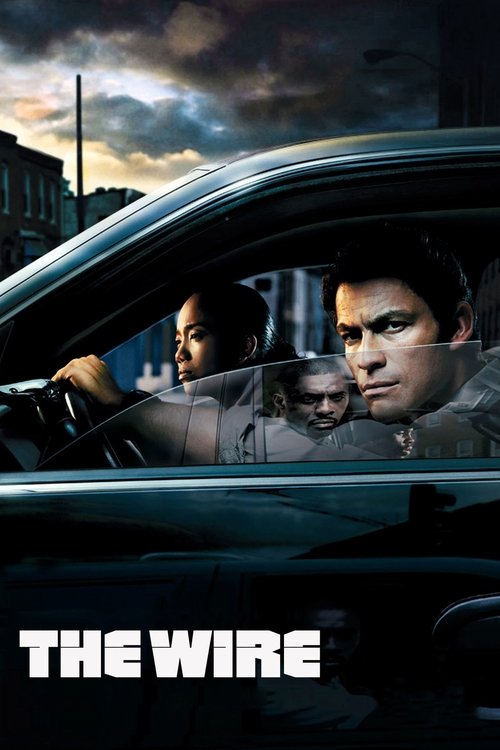
The Wire
2002 · TV Series

Find a show by name. Find an episode by date.
Episode dates: TVmaze · CC BY-SA. Listed through September 10, 2026.
2002 · TV Series

2010 · TV Series

2007 · TV Series
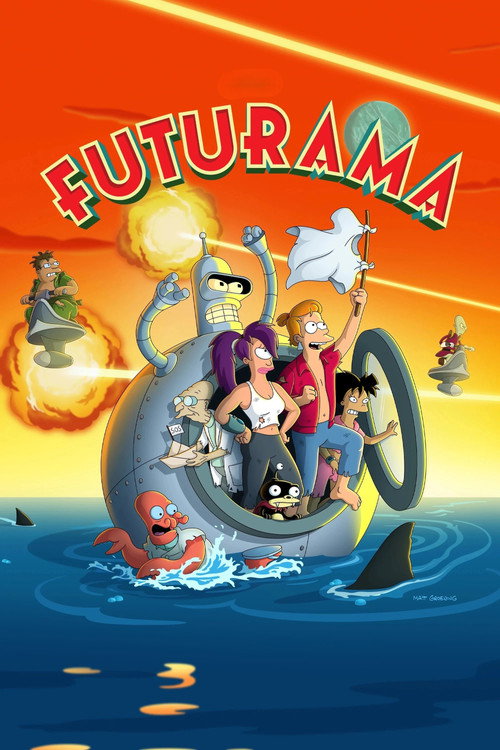
1999 · TV Series

2011 · TV Series

2009 · TV Series

2008 · TV Series

2019 · TV Series

2013 · TV Series
2002 · TV Series

2021 · TV Series
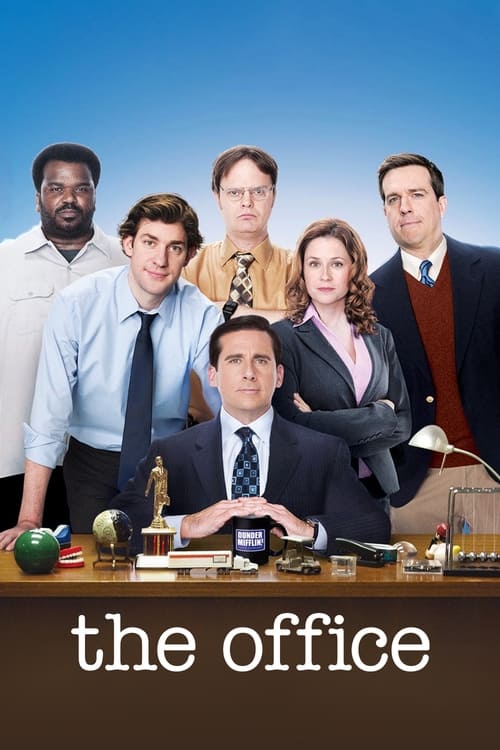
2005 · TV Series
Pick a month, follow an episode date and continue through the correct season.
Read guide →Keep the TV listing close on Android, iPhone or a tablet, using your browser.
Read guide →Understand remembered domain names and retrieve a show from an old bookmark.
Read guide →Identify whether the failure is a link, a filter, a saved list or the viewing service.
Read guide →Project Free TV
Some evenings begin with a film. Others begin with a much smaller question: which episode was I on? Project Free TV puts television names, seasons and dates within easy reach, alongside movies for the nights when you want a complete story. Find the program, recognize your place and decide what to watch next.

A television website should make a familiar name easy to find. That is the thought behind our blue show links, visible search box and date-led episode listing. You do not have to work through a slideshow before reaching television. Type a name if you know it, scan the program list if a reminder would help, or open the calendar when the date is the detail you remember. These are different entrances to the same everyday activity: choosing something you actually want to watch.
The TV Shows section gives the series its own record. Its first year, genres and synopsis help establish which program you mean. Detailed episode lists go a step further for selected shows, letting you pick a season and compare individual names. Films have their own catalog rather than being mixed into a numbered television list. That separation is useful when a movie shares its name with a series, or a new adaptation arrives under an old and familiar title.
You can make that choice without creating a Project Free TV account. Search, the calendar, show descriptions and the browser-based My List are available here without a registration step. Once you are ready, Watch now opens the program's viewing options on JustWatch for your chosen country. The service you select there handles the video and any viewing terms. Browse first, narrow down the right title, and keep the decision about where to watch attached to the actual show rather than an unrelated promotion.
Try a distinctive part of the program's name before adding extra words. Searching The Wire is more useful in the title box than pasting a long phrase about watching The Wire online. The latter may describe your intention perfectly, but the catalog needs the name to identify the series. A premiere year can help with a remake, although it is usually better to find the show first and apply the year filter only if several possible matches remain. Let the result tell you whether that extra restriction is necessary.
Our search page lets you combine the query with format, genre, year and sorting choices. Selecting TV shows removes feature films from the results; selecting a genre narrows the kind of television you see. Clear a filter when it stops helping. The year attached to a long-running sitcom is the year the program began, not the date its latest episode aired. Looking for a 2007 series through a 2018 premiere filter can hide the very program you meant to find, even though it had episodes in 2018.
If you are not certain of the spelling, shorten the name to the word you remember best. Read the visible results instead of adding guesses about actors, streaming services or an old website address. Those details may be valuable elsewhere, but they are not always part of a title. The alphabetical TV search is another useful way to look around a name. For shows with numbered guides, Episodes A–Z gives you a shorter list of programs whose seasons you can open directly.
A date can be easier to remember than an episode name. Perhaps you watched something last Monday, missed the installment discussed over the weekend or want to see which entries appear in a particular month. The Project Free TV calendar groups original air dates into a list you can filter by month and show. Each entry carries the program name and season and episode numbers. Choose one to reach that installment within its season, rather than landing at the beginning of an unrelated television search.
The calendar's current range covers September 2023 through September 2026, with entries listed through September 10, 2026. It is a dated collection, not a promise that every broadcaster's entire schedule appears here. Older installments remain accessible through the series and season lists. The distinction keeps recent browsing practical without making a show from 2002 disappear simply because the calendar starts later. Use the calendar for dates inside its range and the full episode directory when you want to begin a program from its first season.
Month and show selections can be used together. If a combination contains no entries, the page says so; it does not manufacture an episode to fill the gap. A saved calendar URL retains a valid month and show selection, which helps when returning to the same period. Original air dates are also different from availability dates in another country. An entry tells you when that installment originally aired according to the episode information, not when a specific service added it or when an uploaded video appeared online.
The short form S02E03 means season two, episode three. It is a compact reference, useful in an episode listing where long program names already take up space. Open the link and the season page gives that number a proper title. This second piece of information matters. It lets you compare the installment with the wording on a viewing service, a conversation with a friend or a note you made after the previous episode. A number alone can leave too much room for a mistaken match.
Each detailed season page begins with the program and season, followed by numbered entries. You can see original air dates without opening plot descriptions. The story summaries sit behind a disclosure control marked for spoilers, so a simple search for your place does not require reading what happens later. On a keyboard, those controls can be focused and opened normally. On a phone, they remain part of the same vertical list, with the episode name and watch link next to the information they belong to.
Original airing order and a service's packaging can differ. A double-length installment may be divided into two entries in one place and joined in another; specials may sit outside a regular season. Our numbered lists use regular episodes and leave specials out. When the numbers do not quite match, compare the names around the point you remember. Do not jump forward merely because one list contains an extra item. A minute spent identifying the transition is better than discovering that the story has moved past an important event.
The Wire is the kind of series people often return to by season rather than by a random clip. Start with the 2002 program's episode list, where the five seasons are kept together. Across those lists are sixty regular episodes. That makes the full sequence manageable: choose the season you need, read the episode names and use the optional summaries only when they help identify your place. There is no need to treat the show's continued popularity as though it were a new release.
A first watch and a return visit need different amounts of detail. If you are beginning The Wire, the title synopsis and first-season list may be enough to get oriented. If you are returning after a break, the names and dates of the last few episodes you remember can be more helpful. Open a description from an episode you have already seen before inspecting a later one. You can recover context without turning the next major development into something you learn from a directory rather than from the show.
When you use a Watch The Wire link, confirm the 2002 series in the viewing results and then select your season. Keep your country correct before comparing the options. A program with several seasons can have different offers or editions depending on the destination, so the show's name is the beginning of the match, not the end. My List gives you a simple way to keep The Wire beside other programs you want to revisit, while the episode page gives you a bookmark for a more specific return point.
A series built around questions makes episode order especially important. For Pretty Little Liars, the 2010 premiere year identifies the show in our guide. Use it alongside the name when another related title or a later version appears in your search. The season list lets you move through the original show's numbered installments without mistaking a similar title for the next chapter. The small details beside a program name can do more useful work than a large headline announcing another seemingly identical result.
If you stopped midway through a season, begin with what you know rather than reading all the later descriptions. Perhaps you remember the episode title, a holiday setting or the point where you took a break. Compare the names in that area and open an earlier synopsis only if needed. Keeping summaries closed by default is particularly useful for mysteries. It lets the guide answer the practical question of where to resume without immediately answering the dramatic question that made you want to continue watching in the first place.
Long series also benefit from a modest plan. Choose the next installment instead of deciding to finish several seasons at once. A local save can hold the overall program, and a browser bookmark can hold the season page. Those are two different kinds of reminder. Neither marks an episode as watched or synchronizes a pause position with a player, but each gives you a recognizable way back. Use the viewing service's own progress controls for playback history while keeping the show and episode details easy to rediscover here.
Comedy browsing often starts with a different mood from drama browsing. You may want a familiar group of characters rather than a new world to learn, or one episode that fits around dinner instead of a feature film. The TV comedy collection gathers series whose genre information includes comedy. Read a premise and choose the kind of humor that suits the evening. A genre is a useful first filter, but it cannot tell you whether you want a workplace, a friendship group, family arguments or an animated adventure.
The Big Bang Theory and How I Met Your Mother both have detailed season lists here. Their premiere years remain part of their identities even when you are looking for a late-season installment. With a well-known sitcom, it is tempting to search for a remembered joke instead of an episode. The numbered list is a more dependable next step when you can narrow the memory to a season, because its titles give you a finite set of possibilities to compare.
A familiar comedy can also make My List useful in a different way. You do not have to save only ambitious dramas you have never started. Keep a comfortable fallback beside the new program everyone is recommending. When time is short, the decision is already partly made. If you are watching with someone new to the series, pick an appropriate starting point together instead of assuming that the episode you remember most vividly will explain the characters best. Familiarity is helpful, but it is not the same thing as a clear introduction.
Animated television belongs in the TV listing, not just in a children's corner. Different animated programs are intended for different audiences and can combine comedy, fantasy, science fiction or more serious storytelling. Our animation collection uses the title information to bring those programs together, while each show's synopsis provides the next level of context. If you are choosing for a family group, consult the audience information on the viewing service as well. An illustrated poster is not, by itself, a promise that a program suits every age.
Futurama illustrates why a television guide should make episode names visible. A long-running program with different periods of release can be packaged in ways that make season labels less straightforward than viewers expect. Our lists follow the original air-order information supplied for the show. When another service groups it differently, match the individual name and nearby episodes before moving forward. That approach is more reliable than assuming the same season number must always contain an identical set of installments everywhere you look.
Recent dates in the calendar can coexist with a much earlier year on the main show record. Futurama's 1999 premiere does not mean every episode belongs to 1999. Conversely, a date in a recent calendar month does not turn the whole series into a newly premiered program. The title page and the episode list answer separate questions. Read the first when identifying the show, and the second when deciding which installment to watch. This becomes a useful habit with any program that continues or returns over a long period.
Sometimes you want a television story with a definite shape. A limited series, a completed continuing drama and an anthology can each offer that, but they invite different kinds of commitment. Chernobyl has a short, five-episode list for its 2019 series. Succession is arranged across its seasons. Seeing those structures before you begin helps you choose whether tonight is the start of a compact sequence or a longer relationship with a program. The right choice depends on your available attention, not just the score beside a poster.
With True Detective, a season choice is particularly useful because an anthology can change its central story and setting. Read the season's episode names rather than treating every installment as an interchangeable crime story. The program still has a common title record, but that does not remove the differences between its seasons. If a recommendation names a particular run, retain that season detail when you follow it. A general search result may identify the right show while still leaving the most important part of the recommendation unresolved.
The Handmaid's Tale provides another route into sustained drama. The guide keeps its 2017 series identity together with the seasons, so you can distinguish the program from a general discussion of its name. If a show is intense, it is reasonable to watch one installment and decide later how quickly to continue. Save the series rather than leaving yourself a pile of open tabs. A carefully chosen next episode can be more satisfying than turning the whole season into an obligation before you have started.
Reality television can be especially easy to lose track of when a discussion moves faster than your viewing. An interview, reunion or new episode may all appear in conversations under the same show name. The Vanderpump Rules guide gives numbered entries a place within their seasons. Check the date and title together when you are catching up. A discussion posted recently may concern an older installment, while a familiar title can have a new season long after its first appearance in the television catalog.
For viewers looking for Top Gear, the 2002 series is the specific program represented by our detailed guide. That year is useful because the name has appeared in different productions. Read the synopsis and program details before treating a similarly named result as the same version. With factual entertainment, format similarities can disguise those distinctions: cars, presenters or a familiar type of challenge may sound close enough until you reach an episode that belongs to an entirely different run of the program.
Requests for Australian Survivor, a Real Housewives series or another country-specific reality show should keep the full program name intact. A place name is often part of the identity rather than an optional search detail. Our catalog is selective, and a missing result does not mean that the program itself does not exist. Try the complete title in the viewing search if needed. Do not substitute a different country's production simply because the shorter name produces a convenient poster. The version you meant is worth preserving from the first search through the viewing choice.
Project Free TV also has a movie listing for evenings that do not need another season. A film can be a change of pace between television runs, something to choose with friends or the answer when you want to know the story will finish tonight. The movie records show the year, genres and premise, with a save control and viewing link. They use the same straightforward browsing pattern as the television pages, so moving between formats does not require learning another set of controls.
Release-year browsing is especially useful around films with reused titles. A remake may share a name while telling the story in a different way, and a sequel may carry a subtitle you do not remember. Read the year and overview before choosing the watch link. If you came from a recommendation that names an actor or director, use that information to confirm the title on its destination page rather than assuming the first same-name result must be right. A little identification at the beginning prevents a surprisingly common wrong-film start.
When no particular movie comes to mind, reduce the decision to a small group. Pick a genre, read a few premises and keep the most promising film open. Save the runners-up. You are not obliged to explore every category before making a good choice, and a highly rated film is not automatically the right film for the people watching with you. Tonight's mood, language preferences and appetite for a long story can be more useful than an increasingly elaborate search for the single best movie in the catalog.
Free movies online and free TV shows are practical requests, not just broad categories. Usually they mean you would prefer an available option that does not add another subscription or rental to the evening. Identify the title first, set your country and compare its viewing choices. If a destination offers a free or ad-supported option, read the terms attached to that specific offer. Do not assume that a free pilot, a temporary promotion and an entire free season describe the same thing. The difference matters once you are several episodes into a story.
There is no fee for using the Project Free TV catalog, episode calendar or local list. A title appearing in that catalog is not a price promise for every place you might watch it. This is why the viewing choice remains linked to the actual program and country. You can investigate before deciding, rather than discovering a subscription condition only after committing to a particular season. If the offer does not suit you, keep the title saved and look for another program that works better for the evening.
No registration here also means there is no account password to remember for browsing. My List is stored in the current browser, with no cross-device account synchronization. That is convenient for quick choices, but it changes what you should expect when switching devices or clearing browser data. Keep the distinction simple: Project Free TV remembers saved catalog titles locally, while a selected viewing service manages its own accounts, purchases, subscriptions and playback progress. You can use one without assuming it silently supplies the features of the other.
The browse links let you start from something other than a famous name. Crime, comedy, mystery, animation and fantasy can each narrow an evening's choices, but a program may belong to more than one of them. That overlap is useful. It reflects the fact that a story can investigate a crime, build a mystery and make you laugh at different moments. Finding the same show through two collections does not mean there are two separate editions to compare or two items you need to save.
The language listing concerns the title's original language. It does not list every subtitle or dubbed track available on every viewing service. Use it to discover programs from a particular language background, then check the audio and subtitle choices where you watch. Release-year pages work in a similarly specific way: they use the film's release or the series' premiere, not every later season date. Understanding what a filter describes makes it more helpful. A filter should narrow the choice you intended, rather than silently answering a different question.
The top-rated catalog is available for visitors who look for a Top IMDb-style route, but the displayed scores are labeled as TMDB ratings. We do not relabel one source's scores as another's. Use the number as a broad piece of context beside the premise and genre. A small rating difference does not measure how much you will enjoy a show with friends, whether its tone suits your mood or whether you want to follow its story for several weeks.
A good recommendation does not always arrive when you can act on it. You may hear about a series during a busy afternoon or find a film while searching for something entirely different. Open its title page and choose My List. The saved state gives you a place to collect those names without keeping every page open. Later, the list brings movies and television together so you can decide what fits the time you actually have. The value is in remembering a worthwhile option, not in creating another long task list.
Save the particular version you mean. A program's name and year make the item recognizable when you return, and its title page remains the place to reopen the synopsis or viewing options. For a more exact television reminder, also bookmark the season page at the episode you are following. My List stores the program, not a watched-episode ledger. The season link stores a useful location, not a paused video. Those modest functions work well together when you use them for the different reminders they actually provide.
Your list belongs to the browser profile on this device. A private window, another browser or another phone can have a different list. Clearing the site's stored data can remove it, so do not use that as the first response to a minor loading problem. On a shared device, consider that other people using the same profile may see the saved names. There is no hidden account migration between different Project Free TV addresses. If your browsing setup changes, retain the important program names or bookmarks before expecting them to reappear elsewhere.
Picture quality becomes a more useful question once you know the exact program and season. HD streaming may be the comfortable option for a television episode on a laptop, while 1080p streaming can provide a detailed picture on many displays. A 4K offering involves more than a screen capable of showing it: the particular edition, service, plan and device need to support that option. Check the selected viewing page instead of treating a sharp poster, a large television or a high-resolution thumbnail as evidence about the video.
Older and newer seasons do not always have identical presentation choices. A show can span different production periods, releases or editions, and a service may offer different options across them. If your reason for returning is a particular remaster or a better picture, confirm that edition before beginning. The Project Free TV episode names help establish what you are watching; the destination's technical information establishes how it is presented. Keeping those two checks separate avoids an argument with the wrong setting when the real difference is the available version.
For interrupted playback, start with a practical goal: a steady episode that you can follow. Try the player's automatic quality choice if available, or test a lower resolution long enough to see whether pauses improve. Adaptive bitrate is a player behavior that changes quality with conditions; it is not a feature created by reopening the catalog. Likewise, video delivery networks and streaming servers belong to the viewing service. The picture and sound guide helps you describe the issue without pretending that a button here controls a separate service's infrastructure.
Subtitles can make the difference between an interesting title and a usable viewing choice. One person may need translated dialogue, another may prefer captions with sound information, and someone else may simply be watching with the volume low. Check those requirements before settling into the episode. Look at the selected season and the player you will actually use, not just a general language label on a search result. A program's original language does not establish that every destination offers the same multilingual subtitles or dubbed audio tracks.
Subtitle customization, where the player supports it, is worth setting before the story gets busy. A slightly larger font or a contrasting background can make fast dialogue more comfortable to read. Test a short scene with both speech and changing backgrounds. If the subtitles seem early or late, confirm the episode version before adjusting timing. A different edit or a combined installment can create a mismatch that one simple offset will not fix consistently. Use the track intended for that exact video whenever the viewing service offers it.
Audio and subtitles are separate choices. Selecting a dubbed language does not always select matching captions, and turning on captions does not change the spoken track. Make both selections deliberately if your group needs a particular combination. For television watched across several evenings, recheck when moving to a different season or device. Preferences may carry over, but availability can change. A quick test saves everyone from beginning an important scene while still trying to understand why the spoken language and the text do not match their expectations.
The Project Free TV app page explains browser access on a phone or tablet. You can use search, read the episode lists and save titles without installing a native package from this website. On a supported browser, a home-screen shortcut offers a convenient return point; the wording may be Add to Home Screen or Install. If that option is not available, an ordinary bookmark still gets you back to the same pages. The catalog does not need a special installer before it can display a show's name and seasons.
An APK is an Android application package. It is not an episode, a subtitle track or a universal requirement for mobile streaming. We do not offer a native Project Free TV APK here, so a file with that label on another website should not be mistaken for an extra step supplied by this one. This is a simple distinction about what you are opening. The browser version remains usable without that download, and the service chosen for playback may have a separate official app with its own device support.
On a phone, the header search stays available and the episode list becomes a vertical reading flow. You can expand the navigation, open a calendar selection or read one synopsis without needing a wide desktop layout. Mobile streaming then continues on the service you choose. Consider your data connection before a long session and check that the desired subtitle track is available on that device. A home-screen icon makes returning easier, but it does not turn saved catalog information into offline video or synchronize your list with another browser.
A living-room screen changes the most comfortable way to choose a show. Typing a long title with a remote can be slower than finding it on a phone, so start wherever search feels easiest. Once you know the title, season and viewing service, open the appropriate app on the television if that app is supported. Check the episode name there before starting. The handoff is about carrying a clear choice to the screen you want, not forcing every television to behave like the browser on your laptop.
Searches for Project Free TV on Roku or Firestick often come from that desire for a bigger-screen experience. This website does not supply a dedicated Roku channel or Fire TV installer. Use its title and season information to make the choice, then confirm the viewing service's current support for your model of device. Smart TV operating systems, console apps and browser capabilities differ. A service working on one television does not establish that every remote, browser or older device will handle the same player in the same way.
Casting, Picture-in-Picture, playback speed and keyboard shortcuts are also controls to check in the player you are using. They may be helpful for a particular viewing setup, but they should not be assumed merely because the catalog opens successfully. The same applies to an HTML5 player and subtitle controls: the destination provides them when supported. Our browsing pages give you the program details and viewing link. Let the device and player instructions handle the final screen controls, while the episode name keeps the content choice consistent.
A saved title and a downloaded episode solve different problems. My List helps you remember what to watch; an offline video copy lets you watch without a live connection under the selected service's conditions. The first does not quietly create the second. If you are preparing for travel, open the viewing option and check whether that exact program and season can be downloaded on your device. Look for the service's own download controls rather than assuming a catalog save button has already made the episode available offline.
Before leaving, verify the completed download in the app that will play it. Check the installment name and the language track, especially if you selected several episodes at once. Some services attach conditions to offline copies, including account requirements or a limited period of use. Read the relevant information there. A successful download of one program also does not prove that another title has the same option. The useful question is whether the specific episode you intend to watch is ready in the app you intend to use.
You can bookmark a Project Free TV episode page as a reminder, but that bookmark is still an address, not a video file. A browser may retain pieces of a page temporarily, which is different again from a supported offline library. The download guide keeps these meanings separate so that planning does not depend on a misleading icon. Choose the viewing service first when offline playback is essential, then use the episode information to make sure the files you prepare are the installments you actually wanted.
Many people remember Project Free TV through an address as much as through its name. A bookmark might include free-tv-video-online, while a later search might add lol, ag, cyou, sx, space, xyz or another ending. Those fragments can help describe what you used before, but they are not enough to establish who operates a present-day website. Our address guide separates historical references from current use. It does not label an unconfirmed collection of domains as official replacements or promise that an old account belongs to a new address.
Contemporary reporting in July 2015 described the original Project Free TV site's shutdown, and later reporting discussed competing claims around replacement addresses. That history explains some of the persistent confusion without resolving every modern site's identity. If your immediate aim is to resume a show, recover the useful parts of the old bookmark: the program name, season and episode. Search those details here. A broken website address does not erase the identity of the television episode you were trying to find, and the program can be located without reproducing the entire old URL.
Another easily confused name is The Free TV Project, an organization whose site focuses on over-the-air television and antennas. It is not simply this streaming brand with its words rearranged. If you want local broadcast channels through an antenna, its own information answers that different question. If you want a series and its numbered episodes, use the television catalog here. Being precise about the name saves a detour, particularly when a search engine rearranges common words into a result that sounds familiar but describes another kind of television service.
Project Free TV unblocked is often a search made after something failed, but the failure can occur at different points. An obsolete deep link, an unavailable domain, a managed network rule and a title missing from one service are not the same problem. Start by identifying which page would not open. If the homepage loads but the old episode address does not, use the program name to find a current page. If no ordinary sites load, investigate the connection before concluding that one particular television website has disappeared.
A mirror usually means another address presenting similar material, but similarity is not proof of common ownership or synchronized information. This site does not provide a rotating list of speculative proxy addresses. You can use its search and episode lists directly without following an unexplained chain of mirrors. If a school, workplace or another managed network restricts access, follow its rules and ask the network owner about permitted viewing options. A country selector is for regional viewing links; it does not override the policies of a network or service.
When a title is unavailable on one destination, keep that separate from website access. The catalog may be working normally while a particular service does not offer the season in your region. Return to the title's viewing choices and compare another option, or save the program for later. Repeatedly changing catalog addresses will not create a missing season on a provider. The access help page follows these distinctions so that your next action responds to the actual failure rather than to the broad word unblocked.
If a search returns nothing, first remove the filters and simplify the name. A television program that premiered years ago will not appear when the premiere-year filter is set to its newest season. If a menu seems unresponsive, reload the page once and try the same control again. If a local save does not remain, check whether the browser is restricting storage or using a private session. Avoid clearing all site data at the start, because doing so can remove the saved list you were hoping to repair.
For a watch link, notice whether a new tab opened. A blocked new-tab action is different from a video that begins and then buffers. Once you are on the viewing service, use its information for player, account or regional availability problems. Copy the exact error wording before changing settings. That observation is more useful than a general statement that streaming is broken, because it identifies the part of the journey that needs attention. The catalog search, the handoff and the video player are separate steps with different possible causes.
Our not-working guide is practical help, not a live global outage dashboard. It does not invent a status percentage or announce that a service is down everywhere when one browser has a problem. Compare one relevant change at a time: a shorter search, a reload, a supported browser or a quality setting on the player. Keep track of what actually improved. A careful observation usually leads to a faster recovery than cycling through several unrelated settings and losing the original clue.
When you look for Project Free TV alternatives, name the missing thing first. It might be a particular episode, a free viewing offer, subtitles in a certain language or a service that works on your television. Those needs lead to different choices. Another site with a familiar grid of posters may still fail to supply the part you need. The alternatives guide starts with the title and its requirements so that you compare a practical option, rather than just collecting a new set of website names.
Reddit discussions can be helpful for recalling a show, hearing how another viewer found an episode or understanding why an old address keeps appearing in searches. Read the date and context of the comment. A recommendation made for one country or one season may not describe your situation now, and a link surviving in an old thread is not proof that it still works. Keep the useful program details, then compare current viewing choices. There is no need to turn an anonymous comment into an official announcement to benefit from the part that helps you.
The best next step is usually small and specific. Open the season you meant, check the episode name, select your country and choose the viewing option that fits. If tonight calls for something else, save the show and browse a comedy or film. Project Free TV is most useful when it shortens that decision while keeping the television details clear. Come back for another date, another program or another movie, with a search box and readable lists ready to take you straight to the part you remember.
Project Free TV is a TV and movie browsing site with title search, selected series episode lists, an air-date calendar and My List. Watch links open the relevant viewing search on JustWatch for your selected country.
Yes. You can search titles, read episode guides and save programs in this browser without creating an account here. A service selected for watching may have its own account or payment requirements.
Open Calendar in the navigation. Select a month and, optionally, a show, then choose Show dates. The calendar lists original air dates within its stated range; older episodes are in the series season lists.
Yes. The Wire has a guide for the 2002 series, with five season lists and sixty regular episodes. Choose a season to see names and dates, then follow the show viewing link when you are ready.
The website works in mobile browsers and can use a home-screen shortcut where supported. We do not supply a native Project Free TV APK. A shortcut opens the site; it does not download television episodes.
Browsing this catalog is free. Viewing prices and free or ad-supported offers depend on the title, country and destination service. Check the particular season or film there before choosing an offer.
Contemporary reports documented its shutdown in July 2015 and later competing replacement claims. An old domain or matching logo does not establish who operates a current site. Search the program name to recover the show behind a broken bookmark.
This site does not certify those addresses as official replacements. Domain endings appear in remembered links and searches, but they do not establish shared ownership or transfer a saved list between websites.
Check whether the problem is the page, a search, the watch link or the external video player. Try the homepage and a simpler title query first. Use the selected viewing service for its own player and account errors.
You can identify the program on a phone or computer, then use a compatible viewing service on the television. We do not offer a dedicated Smart TV, Roku or Fire TV app. Support depends on the device and selected service.
No. My List saves catalog titles in this browser. It does not track completed episodes or a paused video. Bookmark a season page for a specific return point and use the viewing service for any playback progress it supports.
No. The Free TV Project focuses on antenna and over-the-air television information. Project Free TV here organizes movies, series and episode listings. The similar words refer to different television uses.
